Camera Challan Photo Evidence Punjab 2026 | Dispute Guide
Camera Challan Photo Evidence Punjab 2026: How to Check and Dispute a Wrong Fine
Suggested slug: camera-challan-photo-evidence-punjab. Last updated: October 2026. Official portal: echallan.psca.gop.pk.
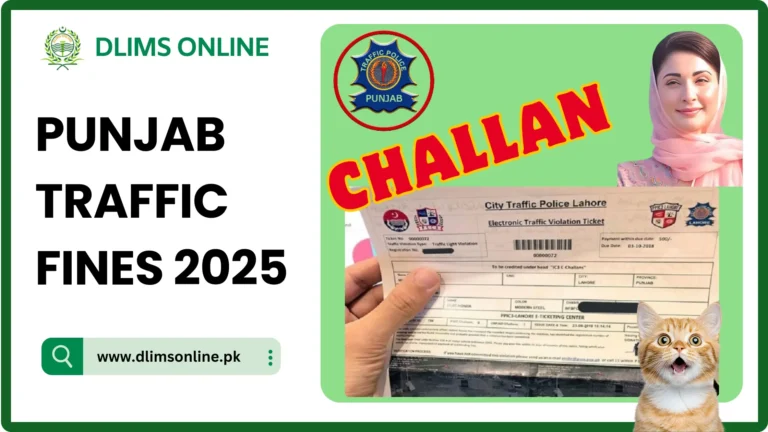
Camera challan photo evidence in Punjab comes from the Punjab Safe Cities Authority traffic camera network, and most drivers never actually look at it before paying. This post is specifically about that photo evidence: how the cameras capture it, how to view it for your own challan, and how to dispute a fine when the picture does not actually show your vehicle. If you only need to check an amount and pay, our e-challan Punjab guide covers that separately.
How Punjab traffic cameras capture evidence
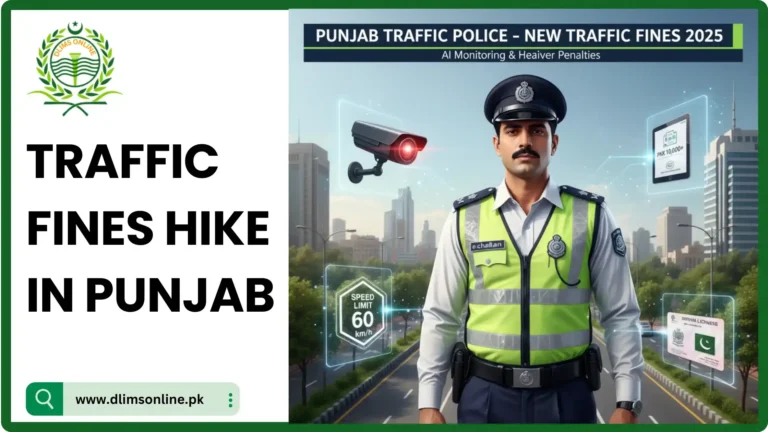
Punjab Safe Cities Authority operates an AI-assisted camera network across major cities including Lahore, Rawalpindi, Multan, Faisalabad, and Gujranwala. The system is reported to automatically detect around nineteen types of violations, including riding without a helmet, not wearing a seatbelt, using a mobile phone while driving, speeding, running a red signal, driving the wrong way, and number plate violations. When a violation is detected, the camera captures the vehicle image, reads the number plate, and records the timestamp and location before an electronic challan is generated and sent by SMS or WhatsApp to the number registered against that vehicle.
How to view your challan photo evidence
- Go to the official portal at echallan.psca.gop.pk
- Enter your vehicle registration number and CNIC as requested
- Open the specific challan from your list
- View the attached photographic evidence, including plate, timestamp, and location
Compare the photo carefully against your own vehicle. Check the plate characters, the colour, and any distinguishing marks such as stickers or body damage before deciding whether the challan is correct.
When a challan photo might be wrong
| Reason | What it looks like |
|---|---|
| Cloned or duplicate plate | Another vehicle is illegally using your plate number |
| Camera misread | Poor image quality causes a character to be read incorrectly |
| Vehicle sold, ownership not updated | The challan lands on your CNIC because MTMIS records were not transferred |
| Duplicate challan | The same offence is billed twice |
| Different vehicle, similar appearance | Same make, model, and colour as your vehicle but not actually yours |
How to dispute a challan with evidence
Punjab Safe Cities Authority runs an online review feature so you do not need to visit an office in person.
- Log in to the e-challan review portal
- Open the e-challan review section and select the disputed challan
- Choose the reason that matches your situation, such as camera error, cloned plate, or vehicle already sold
- Upload supporting evidence such as a clear photo of your actual vehicle, your registration documents, dashcam footage, or proof the vehicle was elsewhere at that time
- Submit the request and wait for the verification team to compare it against the original camera record
Keep your upload within the portal’s file size and format limits, and make sure your written explanation is specific rather than a general denial.
What happens after you submit a dispute
The Safe Cities Authority verification team cross-checks your evidence against the original camera footage, plate record, and location data. If the review confirms the challan was issued in error, it is reported to be cancelled, with recent reporting citing a turnaround of around 24 hours for verified cases. If the evidence does not clearly support your claim, the challan stands and normal payment timelines apply.
Should you pay or dispute first?
If you are confident the photo evidence does not match your vehicle or situation, file the dispute before paying. If the evidence clearly shows your vehicle and the violation, paying promptly through a PSID avoids additional delay. Our PSID payment guide covers safe payment steps once you have decided the challan is valid. An unresolved, unpaid challan can also affect other Dastak services, so see licence blocked due to challan if a renewal or duplicate request is stuck.
Tips to avoid a camera challan in the first place
- Wear a helmet or seatbelt every time, not just near checkpoints
- Keep your phone out of hand while driving, including at red signals
- Follow posted speed limits, since camera detection does not account for traffic flow
- Update ownership transfer promptly after selling a vehicle so challans do not land on your CNIC
Frequently asked questions
Can I see the actual photo before paying a challan?
Yes. The official portal at echallan.psca.gop.pk shows the captured evidence, including plate, timestamp, and location, for each challan linked to your vehicle or CNIC.
How long does a dispute take to resolve?
Recent reporting describes a turnaround of around 24 hours for verified cases, though timelines can vary depending on case complexity and volume.
What if the challan shows a vehicle I already sold?
Submit a dispute citing ownership transfer and upload your sale documents if available. Also confirm the vehicle transfer was updated in MTMIS records, since unrecorded transfers are a common cause of this problem.
Do I need a lawyer to dispute a challan?
No. The online review process is designed for self-service. A legal consultation is only typically needed for complex or repeated disputes.
Sources and disclaimer
This post is based on public reporting and the official process published by the Punjab Safe Cities Authority at echallan.psca.gop.pk. dlimsonline.pk is an independent information site maintained by Musa Tariq and is not affiliated with the Punjab Safe Cities Authority or any government department. Dispute outcomes depend on the evidence you submit and current portal rules, which can change. Confirm current steps on the official portal before relying on this guide. Report an outdated step through contact us.